commerce workflow
Transforming fragmented commerce workflows into an AI-assisted, automated workflow solution
00
Confidentiality Notice
This case study outlines my role in driving modernization within a large-scale technology organization. To honor NDA, all proprietary data, production-level UI, and granular process details have been omitted. This case study focuses on the underlying strategy, problem-solving framework, and high-level outcomes
Problem
Within the commerce organization, business and ops teams relied on legacy workflows, which were fragmented across disconnected tools. The legacy workflow experience was the result of abiding by the the limitations of a third-party SaaS product rather than user needs. This led to inefficient workflows that relied on manually filled case intake forms, and the best “efficiency hack” was to to keep duplicating cases — which caused a major reporting headache. The over-reliance on manual actions impacted productivity and increased the margin for error (due to missing/incorrect data), resulting in an increase in case completion times. The engineering team was also stretched thin, spending considerable time maintaining a host of bloated forms—filled with fields that were rarely needed, relevant, or used. As the organization stepped up its efforts to overhaul its operations, our team was mandated to design a dynamic, modern workflow solution that would eliminate manual inefficiencies via integration, automation, and provide real-time visibility across the board.
Solution
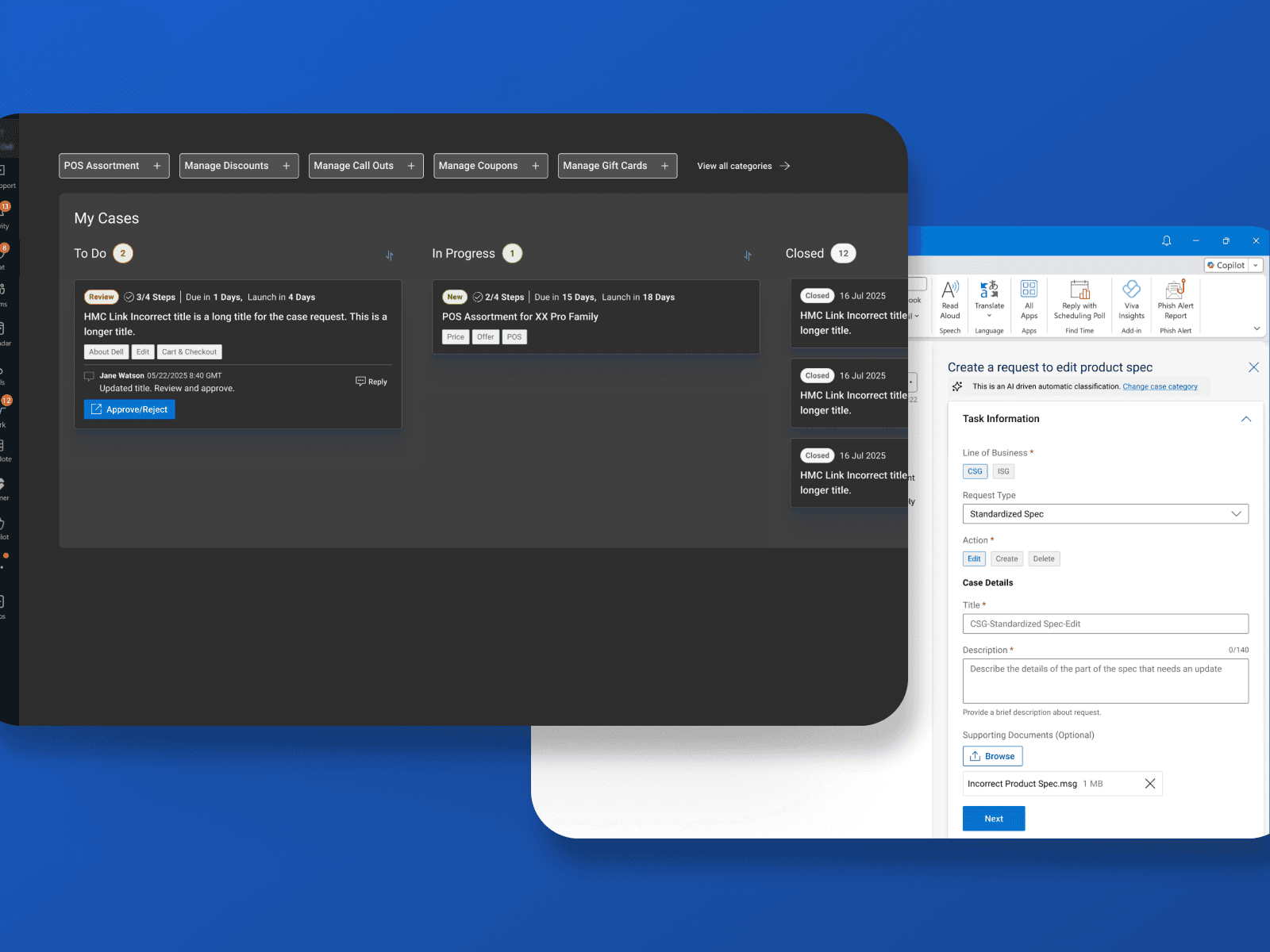
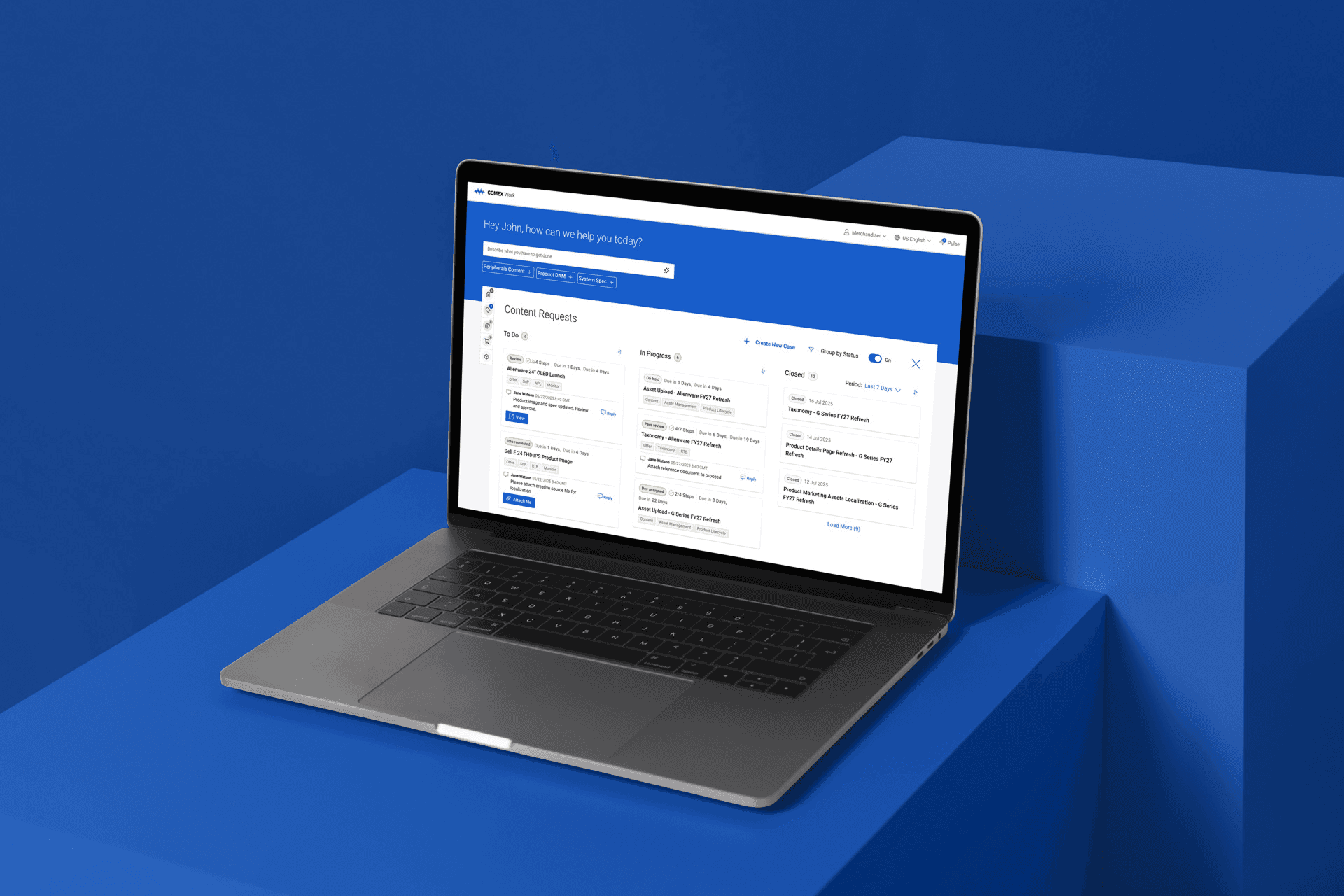
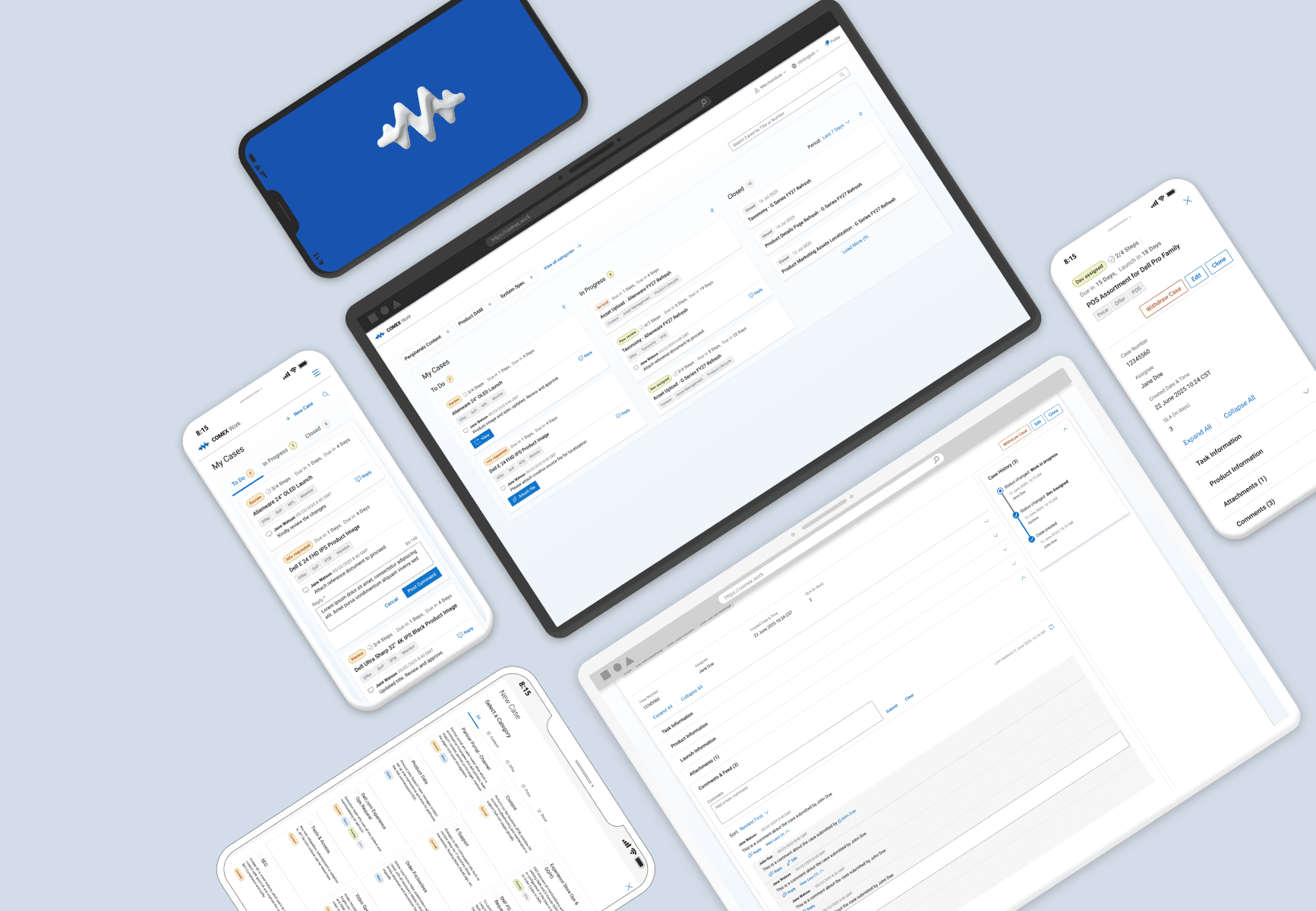
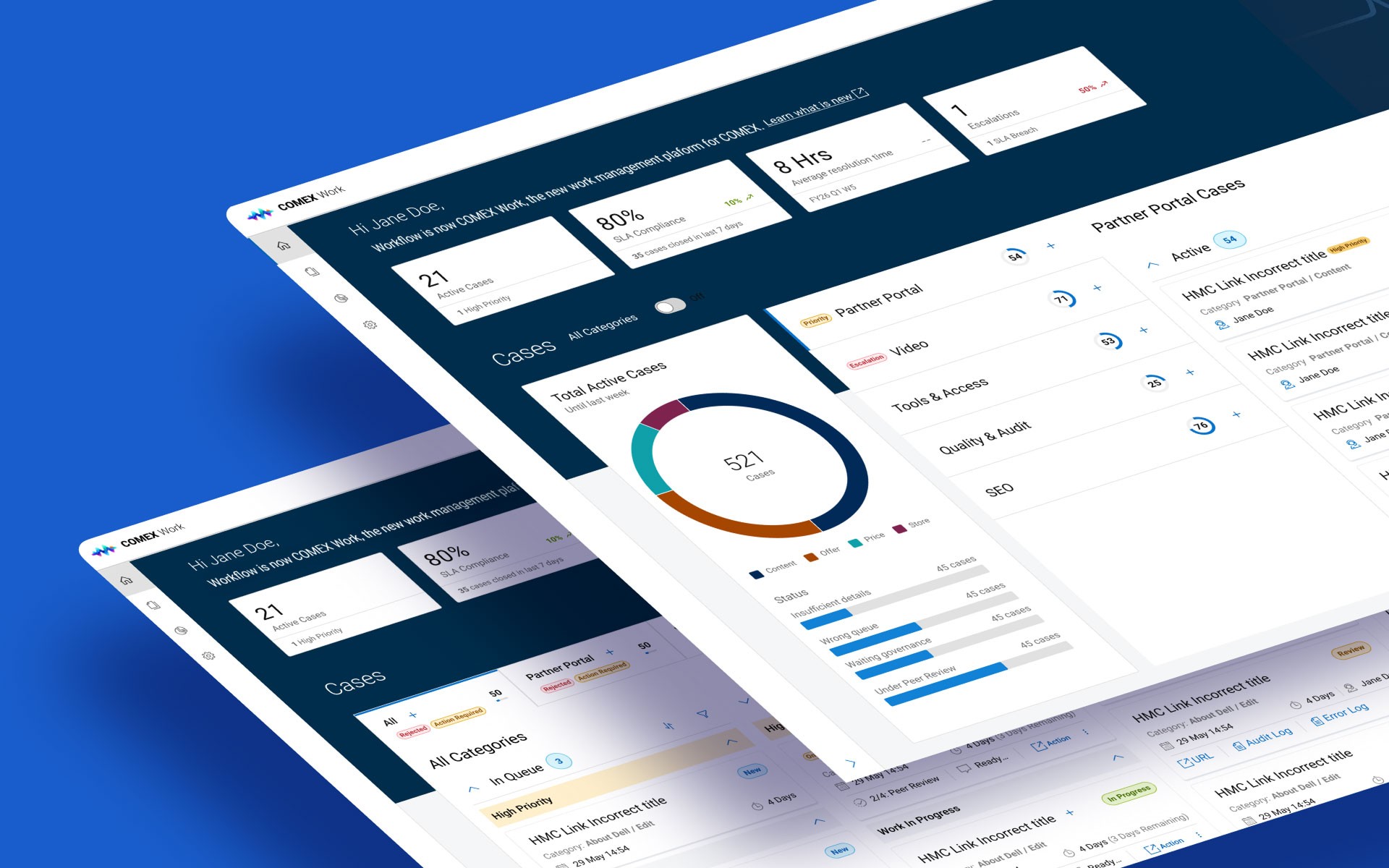
We transformed a fragmented, legacy-bound process into a scalable, context-aware workflow ecosystem. By decoupling the user experience from backend limitations, we delivered a solution that prioritized immediate action and reduced cognitive load. Minimal & Modular UX: Architected the UI as embeddable Micro-Frontends (MFEs), allowing us to inject seamless workflow capabilities directly into the tools used by our commerce teams. The front end was designed as a Single Page Application (SPA) with each component having variable ‘states and modes’, with seamless transitions. Context-Aware: We designed the hand-off triggers (intakes via forms) to be context aware if not automated, so that information was prefilled from the connected tool and historic data. We replaced the tabular UI with minimal, hyper-focused cards that surface only relevant, actionable data. Designed for Scale & Automation: The UI was optimized to streamline unavoidable manual hand-offs for day one, while we laid the foundation to support upcoming API integrations and GenAI-driven headless hand-offs. We optimized the status, card layout, case details, and hand-offs anticipating agentic workflows rather than just human operators.
When I joined the project, the team was caught in an infinite loop of iterations. They were struggling to reconcile the ambitious vision laid out by the design strategist with the ground reality of technical platform constraints. Engineering was waiting for hand-offs that never materialized.
My objective was to ground the design—honoring the strategic vision while remaining realistic about technical limitations. The main challenge? I had exactly two sprints to hit the ground running, untangle the process, and deliver an engineering-ready design.
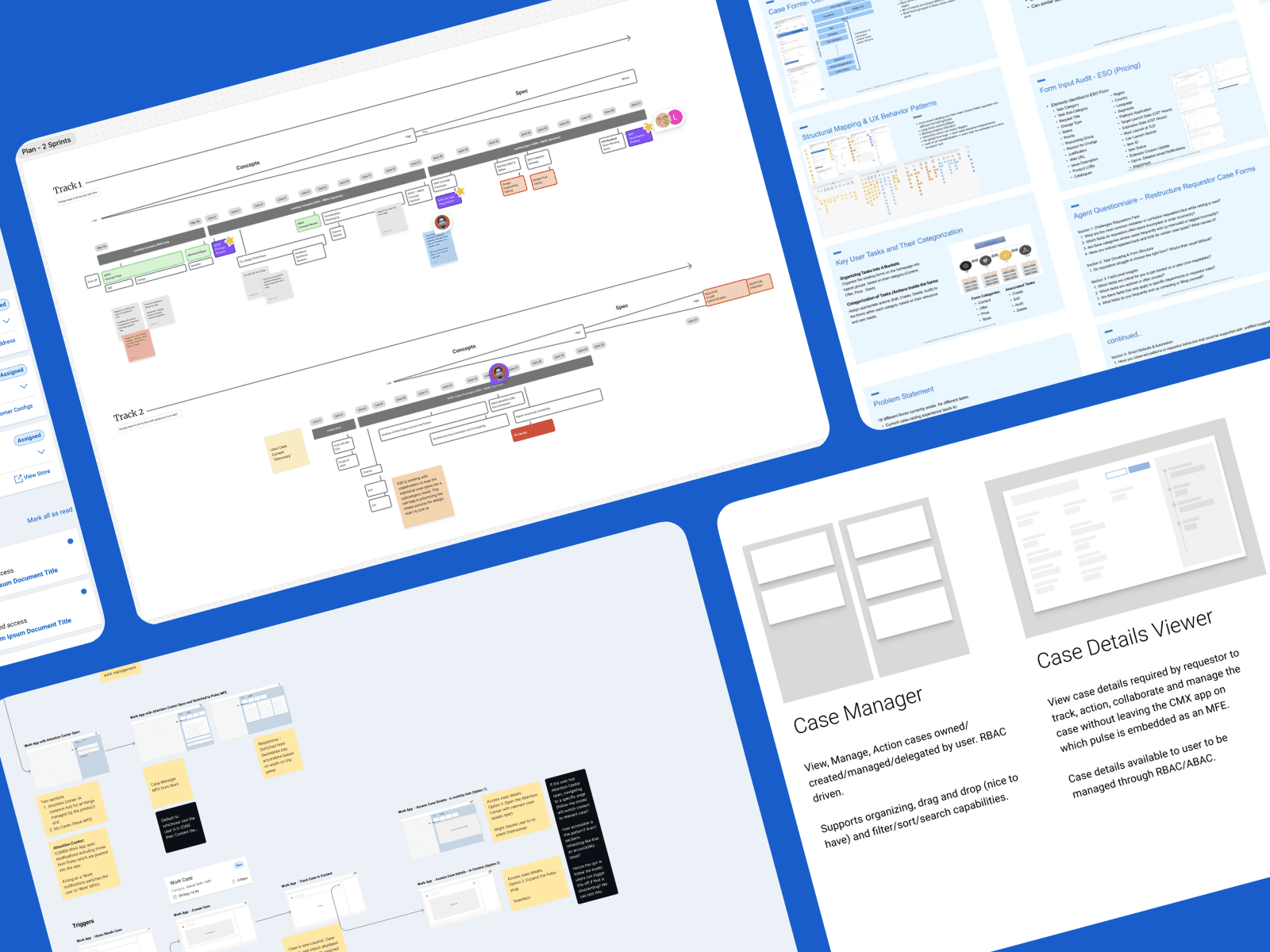
To get onboard and kickstart my engagement, I conducted several 1:1s with the business lead, design strategist, and the design team to understand the vision, objectives, and progress to date. Recognizing that the team had missed a milestone and there wasn't a recovery plan in place, I moved to mitigate the risk. To restore momentum, we established a two-sprint timeline and worked backward to create a structured action plan, defining clear deliverables and checkpoints to track our progress.
Improving Design Velocity with AI
Business had already built a massive repo documenting journey maps, process flows and market research. Given the aggressive timelines, I leveraged AI to synthesize the data to insights to inform my design direction. Parallelly, I had 1:1s with the product architect to understand the current platform, its limitations and any potential blockers.
The design team had already explored and iterated on lot of ideas on how the workflows will be triggered, tracked, and actioned. The only challenge was in breaking the mold of legacy platform. The design tenets outlined by the domain design strategist required the application to be built as a modern, minimal and action oriented platform but the underlying SaaS product sat at the very opposite end of that spectrum. To solve this challenge, we dissected the platform to get to its basic layers and redesigned it ground up, conforming to the design tenets.
After rapid prototyping and iterating through multiple variations using Figma and 'Figma Make', we zeroed in on a Single-Page Application (SPA) solution, which gave us control on the user experience without making significant changes to the platform architecture. This would allow us to embed the workflow components (built as MFE's) in any commerce tool where workflow had to be integrated. However, this solution presented another challenge since we were incurring a large number of API calls and would hit the limits based on projected usage. We refined the design to optimize the information to minimize separate API calls and engineering built a caching layer to limit the API calls; these actions brought down the projected usage to manageable levels leaving some headroom to spare.
We presented the direction, along with next steps and secured a buy in from the stakeholders. To get engineering started, I worked with the PO to build the backlog for the MVP and establish a working agreement for design , outlining how design will fit into the agile product team.
With the baseline UX defined and a solid design-to-engineering pipeline established, the next immediate challenge was scale. My focus shifted to collaborating closely with design teams across the broader commerce organization to deeply understand their specific process executions. The objective was to scale the workflow solution to be capable of:
Integrating seamlessly into any existing commerce tool.
Picking up the process exactly where one team handed it off.
Guiding that flow seamlessly through our new system.
Navigating Challenges
At the time, the reality of the existing workflows was heavily manual and friction-heavy. Cross-team hand-offs relied on cumbersome data dumps, uploading massive Excel sheets, and attaching documents to intake forms. A case would be generated, assigned, worked on, and then passed to the next team using that exact same manual loop.
While our ultimate vision was full automation, we hit a hard technical constraint: the teams supporting the other commerce tools lacked the time and bandwidth to build autonomous data transfer pipelines before the legacy system's shutdown date.
I had to design a pragmatic solution. I optimized the UI for these unavoidable manual hand-offs—streamlining the manual triggers via intake forms to reduce friction—while ensuring the underlying architecture was fully prepared to support seamless, API-driven automation the moment those external pipelines were eventually built. Additional details of the work regarding process optimizations are under NDA.
Impact
Productivity gain
29%
UI templatization
65%
Reduced manual data entry by 27% and cut time on task by up to 22% through smart defaults and role-based filtering on selections. Also, laid the foundation for GenAI capabilities, projected to automate 87% of data entry and shift user focus entirely to case review, timeline, and priority setting. Standardized the underlying case intake architecture, creating reusable templates for 60-65% of the standard case fields. This allowed the engineering team to rapidly generate and deploy new case intake forms by only having to build the 5 to 6 unique fields required for specific workflows. The application is designed to be scalable, designed to support future "agentic workflows" where child tickets can be actioned autonomously by AI agents rather than human operators.
Learnings
Pragmatism Over Perfection: A design vision is hardly serves the purpose, if it can't be built. By taking the time to understand and then designing within strict technical constraints, I pulled the team out of an endless cycle of Figma iterations and delivered an engineering hand-off ready design. Accelerating Synthesis with AI: Using AI for the discovery and framing phases felt like a cheat code. It allowed me to instantly synthesize research, spot patterns, and jump straight into solving core problems within a tight two-sprint window. Using AI (If your organization allows for it) is a no brainer to significantly cut down D&F timelines. Prioritizing Action-Oriented UX: Cognitive overload by bloat is the biggest barrier in enterprise tools. By shifting the UI away from dense data displays and toward context-driven actions, I proved that simply getting out of the user's way drives massive efficiency gains.
01
02
03